Printable Birds Stickers, Realistic Bird
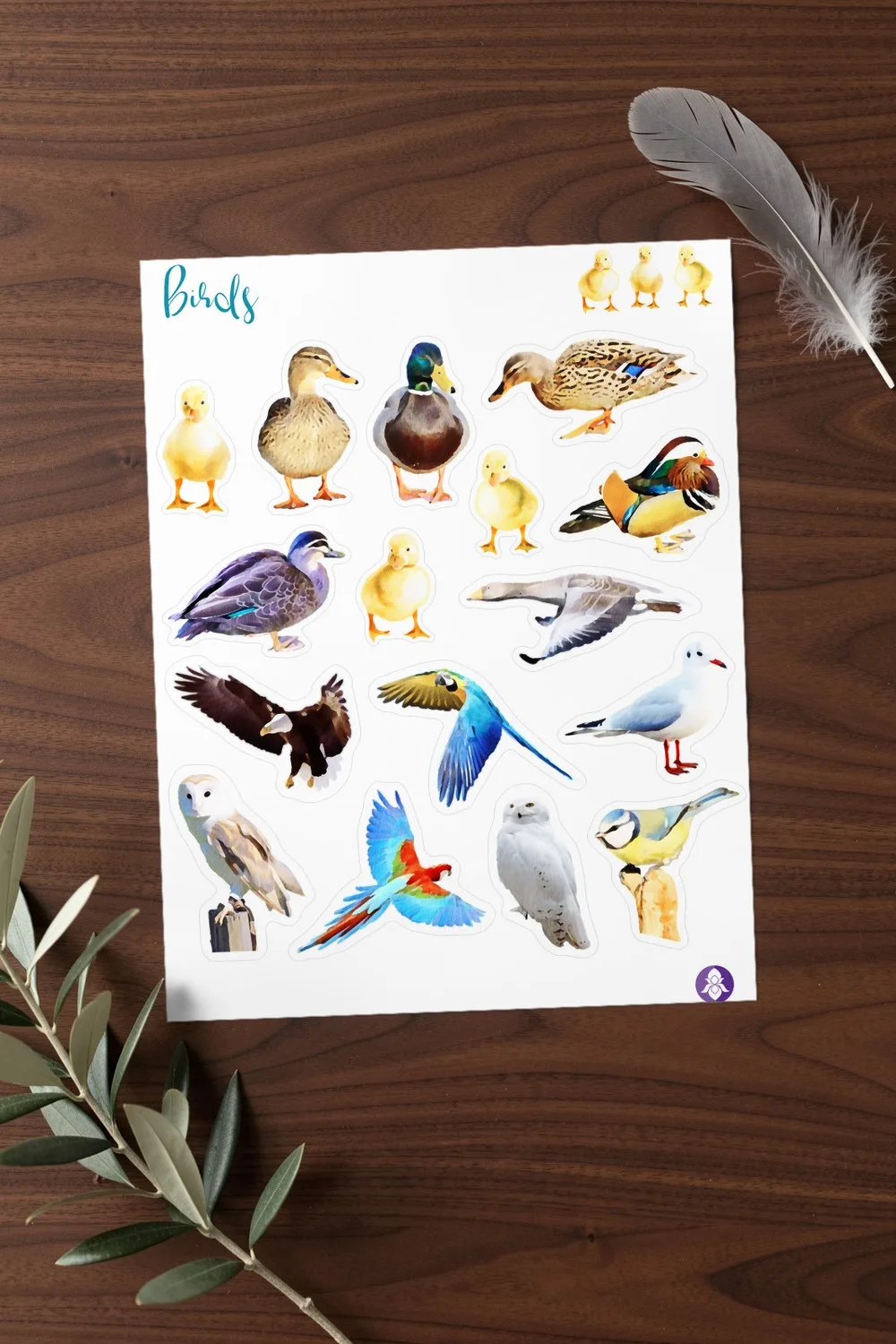
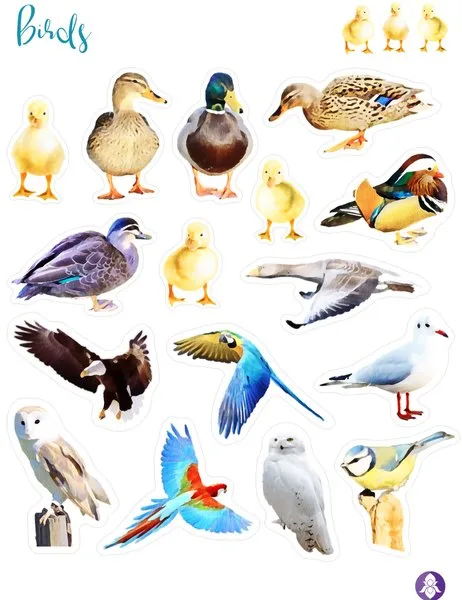
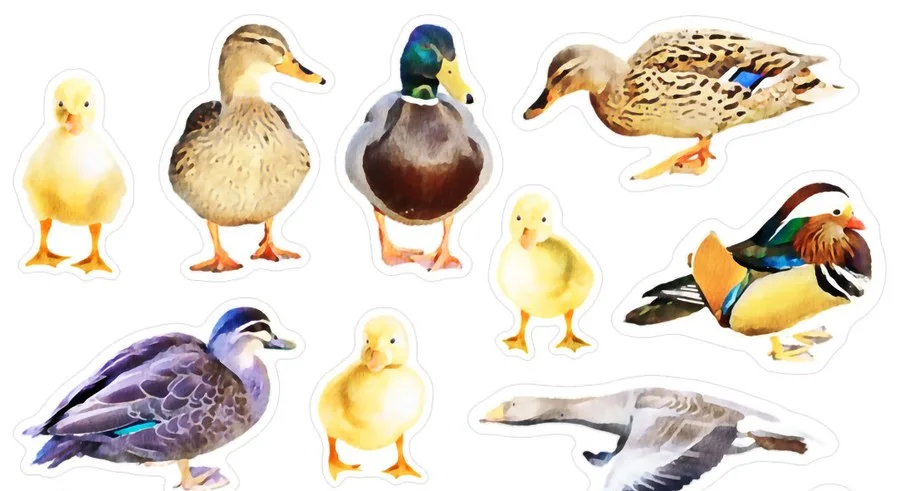
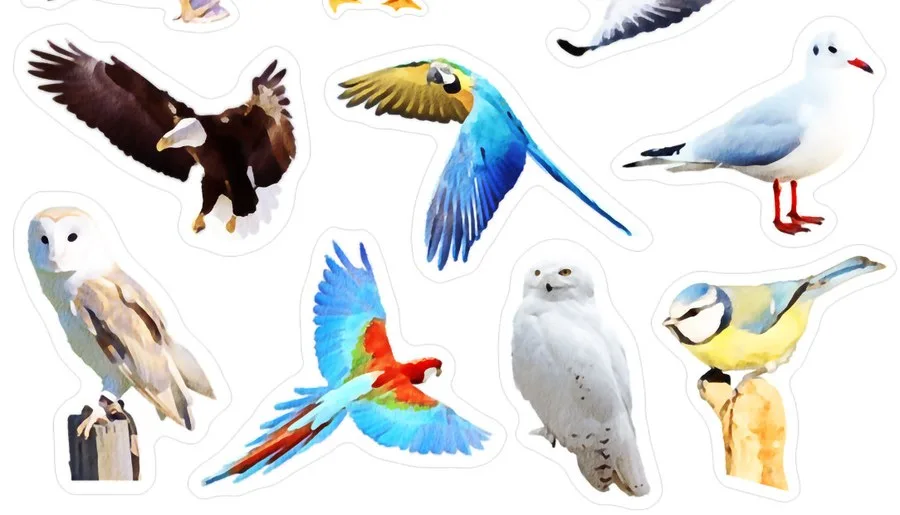
A printable sheet of bird stickers painted in a realistic style: yellow ducklings, mallards, a mandarin duck, a goose in flight, an eagle, two parrots, a seagull, a barn owl, a snowy owl and a blue tit, each with a white border.
- In the set
- 1 printable sticker sheet
- Sheet size
- Letter, 8.5 × 11 in
- Resolution
- 300 PPI
- Files
- PNG with a transparent background, JPG, PDF
- License
- Commercial license included
The files are hosted on Creative Fabrica. Downloading is free with their free trial: a payment card is needed to start it, and you can cancel the subscription at any time.
Design by Iris Art Studios.
What is on the sticker sheet
The birds are a mix of pond, garden, forest and tropical species, so one sheet covers a walk by the lake, a trip to the zoo and a winter page with an owl. Several of them are shown in flight with open wings, which adds movement to a page.
Every sticker has a white outline that is easy to follow with scissors. The set comes as a transparent PNG, a JPG and a PDF of the same sheet.
The sticker sheet
A closer look at the stickers
Ideas for using the stickers
- Nature and bird-watching journals. Stick a bird next to the date and the place where you saw it.
- Junk journal pages. Owls and ducks on tags, pockets and tuck spots.
- Scrapbook layouts. Photos from a park, a lake or a holiday by the sea, with a seagull or ducklings beside them.
- Cards. A duckling for a new baby, an owl for a graduation, a parrot for a birthday.
- Planners. Mark walks, trips and days outdoors.
Colour palette of the stickers
- Orange
#C39D63 - Tan
#A0815B - Beige
#D0BA82 - Light yellow
#F2DE91 - Light orange
#EEBB5E - Grey
#939A90 - Brown
#7E5D45 - Light green
#A2CBC0
The colours are sampled from the preview images of the designer. Screens and printers show them a little differently, so treat the codes as a starting point for matching cardstock, ink or digital elements.
How the sticker sheet prints at home
The sheet is Letter size, 8 1/2 × 11 in (21.6 × 27.9 cm), so it fills one sheet of sticker paper.
| Paper | Setting | What you get |
|---|---|---|
| Letter | 100% (“Actual size”) | Every sticker at the size the designer drew it |
| A4 | “Fit to page” | The whole sheet at about 97%: A4 is a little narrower than Letter, so at 100% the stickers at the side edges would be cut off |
For smaller stickers, print the sheet at 50–70%: the file is 300 PPI, so the stickers stay sharp when they are scaled down.
Printing tips
- Load matte or glossy sticker paper (self-adhesive, Letter or A4) and select the matching paper type in the printer settings.
- Open the JPG or PDF and choose Print, with print quality set to “Best” or “High”. Print one sheet on plain paper first to check the size.
- Cut the stickers out with small scissors, leaving a narrow white border around each one.
- With a cutting machine, upload the transparent PNG and use its print-then-cut mode: the machine cuts around each sticker for you.
- No sticker paper at home? Print on ordinary paper and fix the pieces with a glue stick: in a junk journal that works just as well.
Colours may look a little different on paper than on screen: that depends on the printer and the paper.
More scrapbook stickers
PNG DIY may earn a commission when you sign up with Creative Fabrica through the link on this page, at no cost to you. See our affiliate disclosure.